Collector guide
Sports Card Grading App: Pick the Right Cards to Submit
How to use a sports card grading app to pre-screen centering, corners, edges, and surface before you pay PSA, BGS, or CGC submission fees.
By Matteo G.
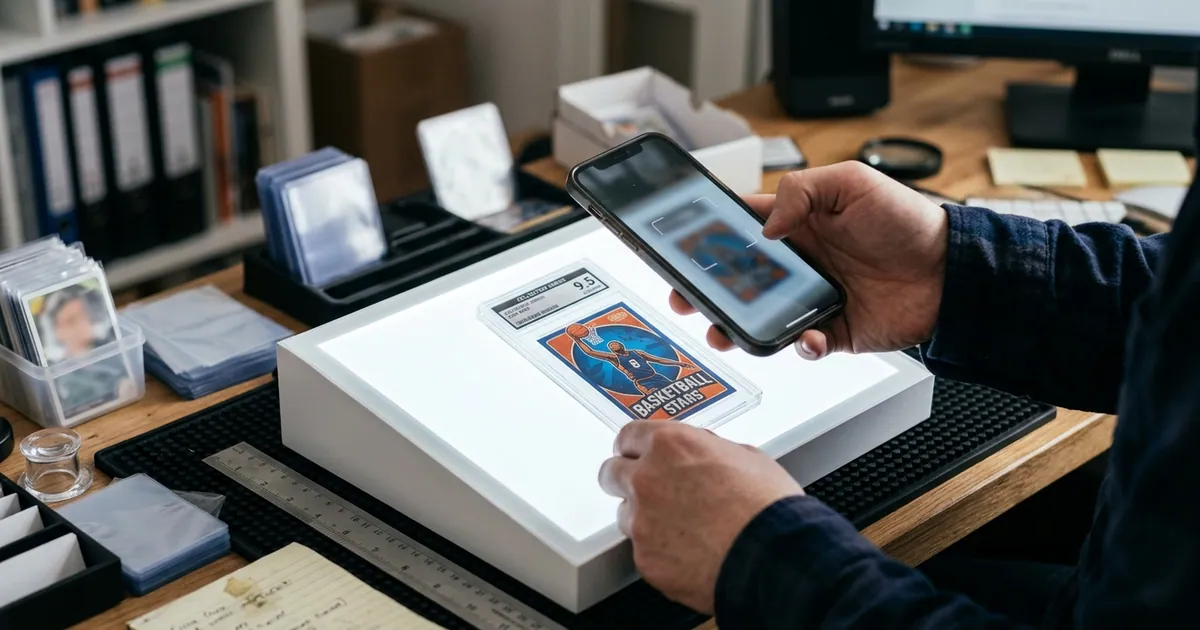
Grading sports cards is a math problem disguised as a hobby. Every submission costs money, time, and shipping risk, and the gap between a PSA 9 and a PSA 10 on the same rookie can be the difference between a break-even slab and a card you regret sending. That is exactly why a sports card grading app has become standard equipment for serious collectors: it lets you screen your stack before you spend a dollar on grading fees.
This guide walks through what a grading app can and cannot do, how to build a repeatable pre-screening workflow for baseball, basketball, and football cards, and how to decide which cards actually deserve a submission slot.
What a Sports Card Grading App Actually Does
A modern grading app photographs your card, then analyzes it against the four factors human graders care about most:
- Centering — left/right and top/bottom border ratios on the front, and often the back.
- Corners — fraying, softness, whitening, and dings at all four points.
- Edges — chipping and whitening along the border, which is brutal on dark-bordered sets.
- Surface — print lines, scratches, dimples, roller marks, and glare-hidden scuffs.
The output is an estimated grade range plus subgrade-style feedback. With Card Grading AI you also get an explanation of what pulled the estimate down, which is the part that actually makes you a better grader over time. Learn more about how the analysis works on the AI card grading page.
One thing to be clear about: results from any app, including ours, are estimates and pre-grades only. They are not official grades, appraisals, or guarantees, and they do not replace PSA, BGS, CGC, SGC, or TAG. Graders evaluate the physical card in hand under controlled lighting. Your app is a filter, not a verdict.
Why Pre-Screening Pays for Itself
Think about a typical bulk submission. You pick 20 modern rookies, pay per-card fees plus round-trip shipping with insurance, and wait weeks. If five of those cards were never going to break a 9 because of a 62/38 centering issue you never measured, you paid full price for slabs that may not clear your cost basis.
Pre-screening flips the order of operations:
- Scan everything raw.
- Sort into submit, hold, and sell-raw piles.
- Submit only the cards where the graded upside justifies the spend.
You are not trying to predict the grade perfectly. You are trying to avoid the obvious losers and catch the sleepers that look better than you assumed.
A Repeatable Scanning Workflow
Consistency in photos matters more than expensive gear. Here is a setup that works with a phone:
1. Remove the card from the toploader. Glare and plastic haze are the two biggest sources of bad surface reads. If you scan in a penny sleeve, expect softer surface detail.
2. Use flat, diffuse light. Two lamps at 45 degrees, or a cloudy-day window, beats a single harsh overhead bulb. Avoid direct flash.
3. Shoot square and fill the frame. Camera parallel to the card, card parallel to the table, no tilt. Tilt is what wrecks centering math, because perspective distortion shrinks one border and stretches the other.
4. Capture front and back. Back centering and back corner wear sink more submissions than people expect, especially on 1970s and 1980s baseball.
5. Do a manual tilt check. After scanning, hold the card at an angle under a light and look for print lines and scratches. Combine your eyes with the app; neither is complete alone.
Our features page covers the capture guides and batch tools that keep this fast when you have a shoebox to get through. If centering is your main worry, the card centering breakdown goes deeper on measurement.
Submit, Hold, or Sell Raw: A Decision Framework
Use your estimate plus market data, not one or the other.
| Estimated pre-grade | Modern base / rookie | Vintage or high-demand card |
|---|---|---|
| 10 / clean gem look | Strong submit candidate | Submit |
| 9 with one weak subgrade | Submit only if 9 comps clear your cost | Usually submit |
| 8 | Typically sell raw | Often still worth submitting |
| 7 or lower | Sell raw or keep as a personal copy | Submit only if scarce or key |
| Visible crease or major flaw | Sell raw, disclose the flaw | Sell raw unless extremely rare |
Then run the numbers. Look up recent sold prices for the raw card and for the graded tiers you realistically expect. Subtract your all-in cost per card: grading fee, outbound shipping, insurance, return shipping, and any marketplace fees if you plan to sell. If the spread is thin, the card is a hold.
Sport-Specific Traps to Watch
Basketball (Prizm, Optic, Select). Dark and chrome-style borders show edge chipping instantly, and silver refractor surfaces hold fingerprints and scratches. Check edges under magnification before you get excited about a centering read.
Baseball vintage (Topps 1950s–1980s). Rough-cut edges, off-center prints, and wax stains are normal for the era. Graders account for era standards, but you should still measure back centering, which is frequently worse than the front.
Football rookies with autographs and patches. Autograph placement, ink pooling, and patch alignment matter, and thick memorabilia cards can have edge dings from packaging. Also confirm the card is eligible for the tier and service you plan to use.
Chrome and refractor parallels across all sports. Print lines run vertically and hide in the shine. Rotate the card slowly under a light; a single line can cap you at a 9.
Building a Submission Log
The collectors who get consistently good results treat grading like a tracked process. For every card, record the estimate, the subgrade weaknesses, the service and tier used, the date sent, and the final grade received. After two or three submissions you will see your own patterns: maybe you overrate corners, or you consistently underestimate surface flaws on chrome.
That feedback loop is where an app earns its keep. Card Grading AI stores your scans and estimates alongside your collection so you can compare pre-grade to final grade without digging through camera rolls.
Where Card Grading AI Fits
Card Grading AI is built to be the step before the slab. Scan a card on web, iOS, or Android, get an estimated grade with centering measurements and per-factor notes, save it to your collection, and use that data to build a smarter submission list. It is honest about uncertainty and it never claims to be an official grade.
If you collect baseball, basketball, football, hockey, or soccer, start with the sports card grading overview to see how the workflow applies to your sets, then check pricing to find the plan that matches how many cards you scan each month.
Next step: grab five cards you have been unsure about, scan them tonight, and see how many actually belong in your next submission. That is usually the moment the math becomes obvious.
FAQ
Can a sports card grading app replace PSA, BGS, or CGC?
No. A grading app gives you an estimate, or pre-grade, based on photos of your card. Only PSA, BGS, CGC, SGC, TAG, and similar companies can issue an official, encapsulated grade. Card Grading AI is designed to help you decide what to submit and what to skip, not to replace the grader.
What card condition is worth submitting for grading?
As a rule of thumb, submit cards where the raw-to-graded value gap clearly exceeds your total cost per card, including shipping, insurance, and grading fees. Modern base cards usually need a realistic shot at a 10 to make sense, while vintage and high-demand rookies can be profitable at 7, 8, or 9 depending on the player and set.
How accurate are AI centering measurements?
Centering estimates are only as good as your photo. Shoot the card flat and square to the camera, fill the frame, avoid tilt, and use even lighting. Under those conditions AI measurement is a strong first screen, but graders measure the physical card, so treat any borderline result as a coin flip.
Do I need to remove cards from sleeves before scanning?
For the sharpest surface analysis, yes. Penny sleeves add haze and toploaders create glare and reflections that can hide or fake scratches. If you must scan through plastic, at least tilt the card under a light separately to check the surface with your own eyes.
Keep reading
Related guides
Ready to inspect your next card?
Scan your cards instantly with Card Grading AI
Capture a clear front-and-back photo, review an AI-assisted condition estimate, and keep standout cards organized in your collection.