Collector guide
How to Prepare Cards for Grading: A Step-by-Step Guide
Learn how to prepare cards for grading: pre-screening, cleaning, sleeving, penny sleeve and Card Saver prep, packing, and submission forms that avoid costly mistakes.
By Matteo G.
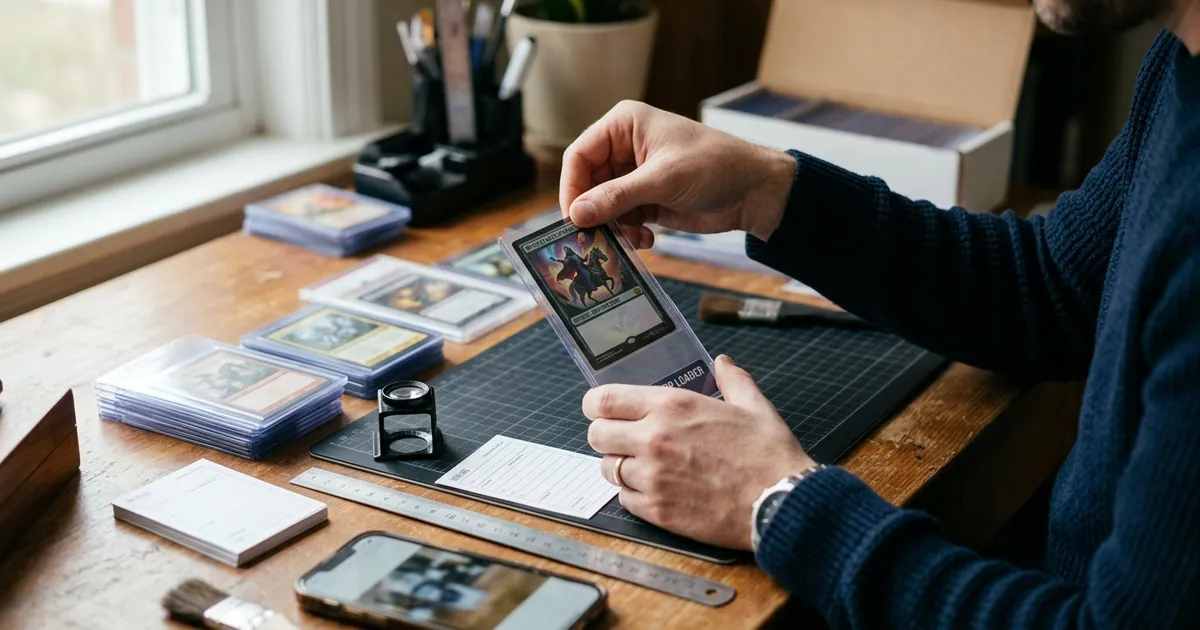
Grading a card is easy. Grading a card profitably is not. Between service fees, shipping both directions, insurance, and weeks or months of waiting, every card you submit needs to earn its spot in the box. That is why preparation matters more than most collectors realize: the work you do at your kitchen table before shipping determines whether your submission comes back as a win or an expensive lesson.
This guide walks through exactly how to prepare cards for grading, from pre-screening candidates and handling raw cardboard safely to sleeving, packing, and filling out the submission form without rookie errors.
Step 1: Pre-Screen Before You Spend a Dollar
The first step in preparing cards for grading happens before any sleeve comes out of the pack. You need to decide which cards are actually worth the fee.
A useful mental model: a card is a good submission candidate when the gap between its raw value and its likely graded value comfortably exceeds your total cost per card. That total cost includes the grading tier, shipping to the grader, return shipping, insurance, and supplies. For many modern base cards, that math simply never works.
When evaluating a card, look at the four criteria graders weigh:
- Centering — how evenly the borders frame the image on the front and back. This is the most objectively measurable factor and the one that most often caps a grade.
- Corners — sharp and clean, or soft, fuzzy, and dinged?
- Edges — check for chipping, whitening, and nicks, especially on dark-bordered cards.
- Surface — scratches, print lines, print dots, indentations, gloss loss, and residue.
Use a bright, neutral light source and tilt the card slowly to catch surface flaws that disappear under direct overhead light. A cheap jeweler’s loupe or a 10x magnifier is one of the best purchases a submitter can make.
This is also where an AI pre-grade helps. Card Grading AI scans the front and back of a card and returns an estimated pre-grade with subscores across those same four categories, so you can quickly triage a stack of 100 cards into “submit,” “maybe,” and “keep raw.” It is an estimate to guide your decision, not an official grade — but for building a shortlist, it saves hours. See how it works for the scanning workflow, or read more about AI card grading and what the scores mean.
Step 2: Measure Centering Carefully
Centering deserves its own step because it is the flaw collectors most often misjudge. Human eyes anchor to the image, not the border, and a card that “looks fine” can measure 65/35 left-to-right.
Most graders publish centering tolerances by grade tier. Tight tolerances at the top mean a card with pristine corners, edges, and surface can still be capped several points by borders alone. Check both sides — back centering is frequently worse than the front, and plenty of otherwise clean cards get held back by a lopsided reverse.
If you are eyeballing it, lay a clear ruler along the border or use a centering tool. If you want it faster, Card Grading AI measures border ratios from your scan automatically; our card centering guide breaks down how the percentages translate into real grading outcomes.
Step 3: Handle and Clean Raw Cards the Right Way
Once you have your shortlist, treat those cards like they are already worth their graded price.
Do:
- Wash and fully dry your hands, or wear clean cotton or nitrile gloves.
- Hold cards by the edges, never by the face.
- Work on a clean, flat, uncluttered surface — no crumbs, no drink, no pets.
- Remove loose dust with a dry microfiber cloth or a puff of air, wiping lightly along the surface, not across corners.
Do not:
- Use water, alcohol, cleaning sprays, erasers, or polishing cloths.
- Attempt to flatten a warped card with heat or weight.
- Trim, re-cut, or touch up edges in any way.
- Try to “pop” a dinged corner back into shape.
Any of those last items risks an “Altered” or “Evidence of Trimming” designation, which is far worse than a low numeric grade — it effectively kills the card’s market value. Graders inspect under magnification and specialized lighting. Assume they will see it.
Step 4: Sleeve and Protect Correctly
Packaging standards vary slightly by company, so always confirm the current requirements on your grader’s site before shipping. That said, the near-universal standard looks like this:
| Supply | Purpose | Notes |
|---|---|---|
| Soft penny sleeve | Direct contact protection | Insert the card gently; never force it. Some submitters trim nothing and simply orient the sleeve opening upward. |
| Semi-rigid holder (Card Saver I style) | Shipping protection and intake handling | The industry default. Card should slide in without bowing. |
| Team bag or resealable bag | Groups sleeved cards together | Optional but helps organization. |
| Rubber bands | Bundling stacks of semi-rigids | Use light tension across the stack, never tight enough to bend cards. |
Avoid toploaders, magnetic one-touch holders, and screw-down cases for submissions. Most graders reject or discourage them because removing a card from a toploader risks edge damage, and heavy cases add shipping weight and cost.
One detail worth repeating: do not overstuff the semi-rigid. A card that has to be pried out is a card that can be dinged during intake.
Step 5: Choose the Right Service Tier and Declared Value
Grading companies price tiers by declared value and turnaround time. Two rules of thumb:
- Declare honestly and realistically. Under-declaring to save on fees can result in your order being bumped to a higher tier at your expense, or in insufficient insurance coverage if something goes wrong. Over-declaring wastes money.
- Match the tier to the card, not your hopes. Base your declared value on recent comparable sales for the raw card or a conservative graded outcome — not the best-case PSA 10 sale from two years ago.
If you are unsure about market values, cross-check multiple recent sold listings rather than active asking prices. Card Grading AI’s collection tools let you log estimated values alongside your pre-grades, so your submission shortlist and your value tracking live in the same place. See features for how the catalog and tracking side works.
Step 6: Fill Out the Submission Form Precisely
Mistakes here cause delays and, occasionally, mislabeled slabs.
- Enter the exact year, set, card number, player or character name, and any parallel or variation designation.
- Note variations explicitly (e.g., reverse holo, refractor, short print, error card). If the grader misses a variation because you did not list it, the label may be generic.
- Keep your line-item order identical to the physical stacking order of your cards. Number your semi-rigids lightly with a sticky note or place them in the bag in form order.
- Double-check quantity totals before paying.
Take photos of every card, front and back, before you seal the box. If anything is damaged in transit or disputed later, your own dated images are your only record. If you already scanned your cards with Card Grading AI, you have that documentation built into your collection log.
Step 7: Pack and Ship Like It Matters
Use a sturdy cardboard box, not a bubble mailer. Bundle your sleeved cards with light rubber bands, wrap the bundle in bubble wrap, and fill every void so nothing shifts. The box should not rattle when shaken.
Include the printed submission form inside the box. Ship with tracking and insurance appropriate to your declared value, and require a signature on delivery. Keep the tracking number and your receipt until the slabs are safely back in your hands.
A Simple Pre-Submission Checklist
- Card pre-screened for centering, corners, edges, surface
- Raw vs. graded value gap justifies total cost
- Hands clean, card dust-free, no cleaning agents used
- Penny sleeve + semi-rigid holder, no toploaders
- Photos or scans of front and back saved
- Submission form matches physical order exactly
- Declared value honest and researched
- Box packed tight, tracked, insured, signature required
Where Card Grading AI Fits
The hardest part of submission prep is deciding what not to send. Card Grading AI is built for exactly that moment: scan a card with your phone or upload images on the web, get an AI-assisted pre-grade estimate with centering measurements and condition subscores, and build a shortlist you actually believe in. You can track everything you own in one collection, flag submission candidates, and keep scan images as your own pre-shipping record.
To be clear about what it is: Card Grading AI produces estimates and pre-grades. It is not an official grade, appraisal, or guarantee, and it does not replace PSA, BGS, CGC, TAG, or any other grading service. It is a decision tool that helps you spend your grading budget where it has the best chance of paying off.
Ready to triage your stack? Start scanning with Card Grading AI and see which cards actually deserve a spot in the box.
FAQ
Should I clean my cards before sending them to a grading company?
Only remove loose surface dust with a clean, dry microfiber cloth or a soft blower. Never use water, alcohol, erasers, solvents, or polishing tools. Graders are trained to spot altered surfaces, and evidence of cleaning or trimming can result in an 'Altered' or 'Evidence of Trimming' designation instead of a numeric grade.
Do I need penny sleeves and Card Savers for every submission?
Most major grading companies expect each card in a soft penny sleeve inside a semi-rigid holder such as a Card Saver I. Toploaders and hard screw-downs are usually not accepted because they slow down intake and can damage edges during removal. Always check your grader's current packaging instructions before shipping.
How many cards should I include in my first submission?
Start small, with roughly 10 to 20 cards you have already pre-screened. A smaller first order lets you learn the submission portal, shipping process, and turnaround realities without tying up a large amount of money. Once you understand how your eye compares to the grader's standards, scale up.
Can Card Grading AI tell me exactly what grade my card will receive?
No. Card Grading AI produces an AI-assisted pre-grade estimate to help you decide which cards are worth submitting and which flaws to inspect more closely. It is not an official grade, appraisal, or guarantee, and it does not replace PSA, BGS, CGC, TAG, or any other grading company.
What is the most common mistake first-time submitters make?
Submitting too many low-upside cards. Grading fees, shipping, and insurance add up fast, and a card that returns a mid-range grade often is not worth more than the raw copy. Pre-screening centering, corners, edges, and surface before you pay is the single biggest money saver.
Keep reading
Related guides
Ready to inspect your next card?
Scan your cards instantly with Card Grading AI
Capture a clear front-and-back photo, review an AI-assisted condition estimate, and keep standout cards organized in your collection.