Collector guide
Print Lines and Card Grading: What Graders Actually See
Learn what print lines are, how PSA, BGS, and CGC treat them, how to spot them at home, and how AI pre-grading flags print defects before you submit.
By Matteo G.
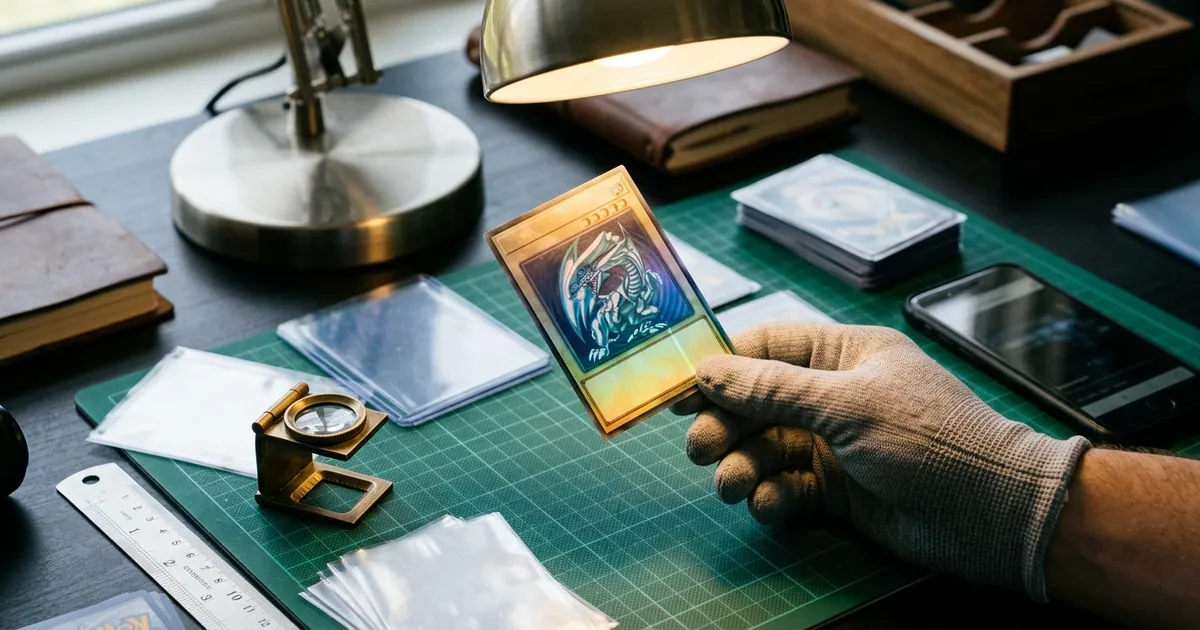
You pull a card that looks perfect. Centering is dead on, corners are sharp, edges are clean. Then you tilt it toward a window and a thin, straight line appears across the holo pattern, running top to bottom like a hairline crack in glass. That line was there the day the card was printed, and it may be the single reason your card comes back a 9 instead of a 10.
Print lines are one of the most misunderstood condition defects in the hobby. They are not handling damage, they are not your fault, and they cannot be fixed. But they absolutely affect grades and resale value, and they are easy to miss when you are photographing a card on a desk under a ceiling light. This guide covers what print lines are, how the major grading companies treat them, how to find them at home before you spend submission money, and where AI pre-grading fits into the process.
What a print line actually is
A print line is a manufacturing defect created during production, not after the pack was opened. Modern trading cards are printed on large sheets, then coated, foiled, cut, and packaged at high speed. When a roller picks up a speck of debris, an ink applicator runs slightly dry, or a coating layer gets dragged, the result is a thin linear mark repeated along the direction of travel through the press.
That production origin explains the defining characteristics collectors look for:
- They are straight. Print lines follow the press direction, usually perfectly vertical or perfectly horizontal relative to the card.
- They are consistent. The line has roughly the same width and intensity along its length, unlike a scratch that varies.
- They sit under the gloss. Run a fingernail across a print line and you feel nothing. The defect is inside the printed or foiled layer, not on top of it.
- They repeat. Because the press defect affects a whole sheet, print lines often show up on multiple cards from the same print run. If you see one on your card, other copies of the same card may have it too.
There are a few related manufacturing flaws that collectors lump into the same category: roller marks (wider, dented-looking lines), print dots or snow (specks of stray ink), and holo scratches that are actually foiling defects rather than damage. Graders treat all of these under the surface subgrade.
Print line vs. scratch: telling them apart
This distinction matters because it changes what you should do with the card. If it is a scratch, the card may have been mishandled and you should check the rest of the surface carefully. If it is a print line, the card came that way and no amount of care will change the outcome.
| Feature | Print line | Scratch |
|---|---|---|
| Origin | Manufacturing (press or foiling) | Handling after packout |
| Shape | Straight, follows print direction | Irregular, any direction |
| Depth | Within the printed layer | Breaks or dulls the top gloss |
| Fingernail test | Does not catch | Often catches slightly |
| Appearance | Uniform width and tone | Varies along its length |
| Found on other copies | Frequently | Almost never |
If you want a deeper dive on the damage side of that comparison, our card surface scratches guide walks through the same lighting techniques applied to post-pack wear.
How graders weigh print lines
Every major grading company evaluates surface as one of the core condition pillars alongside centering, corners, and edges. Print lines land squarely in that surface category, and the penalty scales with three things: visibility, length, and location.
Visibility. A line you can only see when the card is tilted 45 degrees under a bright point source is treated very differently from one that is obvious under normal room lighting. Graders examine cards under controlled lighting, so assume anything you can find with a flashlight will be found.
Length. A short segment crossing a corner of the artwork is a minor deduction. A line running the full height of the card is a major one.
Location. This is the factor collectors underestimate. A print line hidden inside a dark background or a busy text box may barely register. The same line crossing a character’s face, a jersey number, or the center of a holo panel is far more damaging to both the grade and the card’s market appeal.
In practice, a faint and short print line can coexist with a gem-level grade on a card that is otherwise flawless, but it removes your margin for error everywhere else. A clearly visible full-length line typically caps the card somewhere in the 8 to 9 range regardless of how perfect the corners are. Companies that publish subgrades, like BGS, will show the damage directly in the surface number, which is often the number that drags down a composite score. If you are still deciding which service fits your card, our comparison of the major graders in how AI card grading works covers the practical differences.
One more reality check: grading is human judgment applied under time pressure. The same card can receive different surface assessments on different days or at different companies. Print lines sit right in that gray zone, which is exactly why pre-screening matters.
How to find print lines at home
Most collectors miss print lines because they inspect cards the wrong way: flat on a table, under overhead light, looking straight down. That geometry hides linear surface defects almost perfectly.
Use this routine instead:
- Work with a single, directional light source. A desk lamp, a window, or a phone flashlight held to the side. Overhead ceiling lighting flattens everything.
- Hold the card at an angle and rotate it slowly. Tilt through a full sweep so the light reflection sweeps across the surface. Print lines appear as the reflection passes over them, then disappear again.
- Rotate the card 90 degrees and repeat. A vertical line can be invisible when light runs parallel to it.
- Check both sides. Backs get print lines too, and back surface flaws count.
- Look at the border and the holo separately. Foil areas reveal lines that plain cardstock hides.
- Do the fingernail test gently. Confirm whether the mark is under the gloss (print line) or on top of it (scratch).
Do this before you sleeve anything for submission. Finding a print line after you have paid for grading and shipping is an expensive lesson.
Photographing print lines for accurate analysis
If you want AI assistance or a second opinion from another collector, your photos have to actually contain the defect. A line that never shows in your image cannot be evaluated by anyone.
- Use diffuse light for the base shot so colors and centering read correctly, then take one or two angled shots under a harder light to reveal surface texture.
- Remove the card from top-loaders and penny sleeves. Plastic scuffs create false positives and can mask real lines.
- Shoot on a plain, neutral background so edges are easy to detect.
- Fill the frame with the card and keep the camera parallel to it for the main capture.
- Avoid flash directly on holo cards, which blows out the exact areas you need to inspect.
Where Card Grading AI fits in
Card Grading AI is built for the step before submission: deciding which raw cards are worth the fee and which should stay raw or get sold as-is. Upload photos from your phone or desktop and the app analyzes centering, corners, edges, and surface, then returns an estimated pre-grade with the specific issues it detected, including likely print lines and other linear surface anomalies.
That estimate is a decision tool, not a verdict. Card Grading AI does not issue official grades, appraisals, or guarantees, and it is not a substitute for PSA, BGS, CGC, or TAG. What it does well is give you a consistent, repeatable read across a stack of cards so you are not eyeballing 40 holos at midnight and hoping for the best.
A practical workflow looks like this:
- Inspect each candidate under angled light and set aside anything with an obvious full-length line.
- Photograph the survivors properly, including one angled surface shot.
- Run them through the app and review the flagged defects card by card. The features overview shows what the analysis returns.
- Submit only the cards where the estimated grade justifies the cost, and log the rest in your collection so you have a record of condition.
For modern Pokémon holos, where print lines are especially common on the foil panel, our Pokémon card grading guide covers the set-specific quirks worth knowing. And if you want to understand the full analysis pipeline before you trust the output, how it works breaks it down step by step.
The bottom line
Print lines are permanent. You cannot buff them out, you cannot resubmit your way past them, and attempting to “fix” one risks turning a manufacturing flaw into altered-card territory. What you can control is whether you discover the line before or after you spend money on grading.
Build the angled-light inspection into your routine, photograph cards in a way that reveals surface honestly, and use a pre-grade estimate to sanity check your instincts. The collectors who consistently hit good grade-to-cost ratios are not luckier than everyone else. They are just better at saying no to the cards that were never going to make it.
Ready to screen your next submission batch? Start with Card Grading AI and see what your photos reveal.
FAQ
Do print lines automatically prevent a PSA 10?
No, but they make it much harder. A faint, short print line that only shows at an extreme angle may still slip through on a card that is otherwise flawless. A print line that is visible under normal lighting, runs across a large portion of the card, or crosses the subject's face or a holo panel will usually cap the card in the 8 to 9 range. Because graders apply judgment, two similar cards can land on different grades.
What is the difference between a print line and a scratch?
A print line is a manufacturing defect created during the printing or foiling process. It is typically perfectly straight, oriented with the print direction, and sits under or within the card's finish, so it does not catch a fingernail. A scratch happens after the card leaves the pack, tends to be irregular in direction and depth, and often breaks the gloss so it feels or catches slightly. Scratches are considered handling damage; print lines are considered manufacturing flaws, but most major graders penalize both under surface.
Can print lines be removed or fixed?
No. A print line is part of the printed layer, so wiping, buffing, or polishing will not remove it and any attempt risks creating real surface damage or being flagged as alteration. The only legitimate response is to document the line accurately, price the card as a mid-grade copy, or look for a cleaner copy to submit.
Are print lines more common on holo and foil cards?
Yes, in practice. Foil and holographic stock adds extra layers and coatings to the production process, and the reflective surface makes any inconsistency far easier to see. Non-foil cards can have print lines too, but they are often hidden inside artwork or text and go unnoticed until the card is examined under angled light.
Does Card Grading AI detect print lines?
Card Grading AI analyzes your photos and flags visible surface anomalies, including likely print lines, as part of an estimated pre-grade. It works best when you shoot the card from multiple angles under diffuse light, because a line that never appears in your photos cannot be detected. All results are estimates to help you decide what to submit, not official grades or guarantees from PSA, BGS, CGC, or TAG.
Keep reading
Related guides
Ready to inspect your next card?
Scan your cards instantly with Card Grading AI
Capture a clear front-and-back photo, review an AI-assisted condition estimate, and keep standout cards organized in your collection.