Collector guide
How to Check Card Surface for Grading: A Step-by-Step Guide
Learn how to check card surface for grading using raking light, a loupe, and a step-by-step checklist to spot scratches, print lines, dents, and stains before you submit.
By Matteo G.
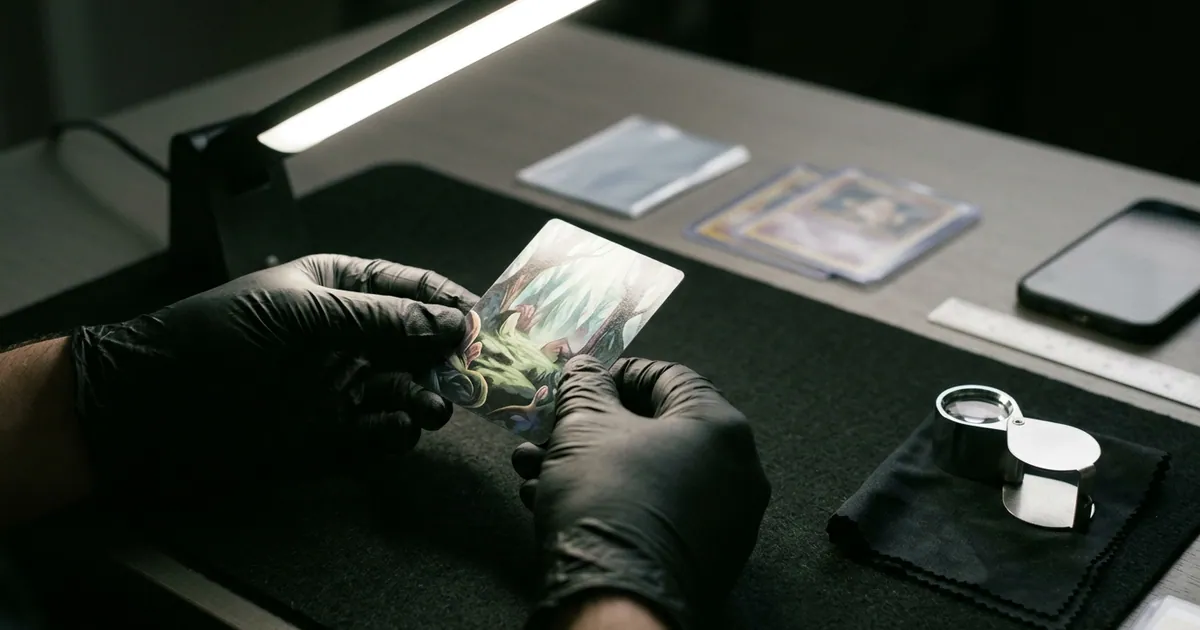
To check a card’s surface for grading, inspect both sides under two kinds of light. Soft, even light shows stains and overall eye appeal. A single bright point light held at a low angle (called raking light) makes scratches, print lines, and dents cast shadows or catch the light. Rotate the card through all four orientations, watch the lamp’s reflection slide across the surface, and put a 5x–10x loupe on anything suspicious. If you can see a flaw at arm’s length in normal room light, assume a gem mint grade is off the table.
Key takeaways
- Use two lights. Use diffuse light for stains and color, and a low-angle point light for scratches, print lines, and dents. Many surface flaws are invisible under one and obvious under the other.
- Rotate the card 360 degrees. A scratch running parallel to the light can disappear completely. It only shows up when the light hits it from the side.
- Check both sides. PSA’s published Mint 9 description specifically mentions a slight wax stain on the reverse, so the back counts.
- Surface flaws are mostly unfixable. You can wipe off dust and fingerprints. You can’t safely remove scratches, dents, or creases, and trying risks an altered-card rejection.
- Grade the card you have, not the card you hope you have. If surface flaws cap a modern card at an 8, grading fees often aren’t worth it.
What graders mean by “surface”
Centering, corners, and edges are about geometry and the card’s perimeter. Surface covers everything else on the front and back faces. Flaws in this category fall into three groups:
- Factory and print defects: print lines and roller marks, print dots or “snow,” ink smudges, out-of-focus or out-of-register printing, and scratches that happen during packing.
- Handling damage: scratches, scuffs, fingerprints, indentations from pens or fingernails, dents, dimples, creases, and dull spots where the gloss has worn off.
- Environmental damage: wax and gum stains (common on vintage packs), water spots, discoloration, and residue from sleeves or adhesives.
A grader generally doesn’t care how a flaw got there. A factory scratch on a card pulled five minutes ago is still a scratch. That’s why “pack fresh” never guarantees gem mint.
We’ve covered specific defects in depth elsewhere: scratches, print lines, and creases each have their own guides. This article is about the inspection process itself: how to systematically find every surface flaw before a grader does.
What the grading companies say about surface
Only a few points here are clearly spelled out in public grading standards. Policies get updated, so confirm the current wording on each company’s official site before you submit.
PSA. PSA’s published Gem Mint 10 description allows for a slight printing imperfection, as long as it doesn’t impair the card’s overall appeal. Its Mint 9 description allows one minor flaw and gives examples such as a very slight wax stain on the reverse or a minor printing imperfection. Lower grades allow progressively more surface wear, loss of gloss, and eventually creases.
PSA can also add qualifiers to a grade. Examples include ST (staining), PD (print defect), MK (marks), and OF (out of focus). A qualified grade typically sells well below the same number without a qualifier.
BGS (Beckett). Beckett assigns a separate Surface subgrade alongside Centering, Corners, and Edges, in half-point steps. The overall grade is not a simple average, so a weak subgrade drags the final number down more than you might expect. A Black Label requires a 10 in all four subgrades. In practice, that means a surface that holds up under close magnification.
CGC and TAG. CGC publishes a scale with Pristine 10 above Gem Mint 10, and subgrades are available on some service levels. TAG uses imaging-based grading and documents individual defects in its reports. For both, check the current service details on the official site, since tiers and options change.
The practical takeaway is consistent across companies. The higher the target grade, the more your surface must hold up under magnification, not just at a glance.
Set up a proper inspection station
You don’t need a lab, but you do need the right setup:
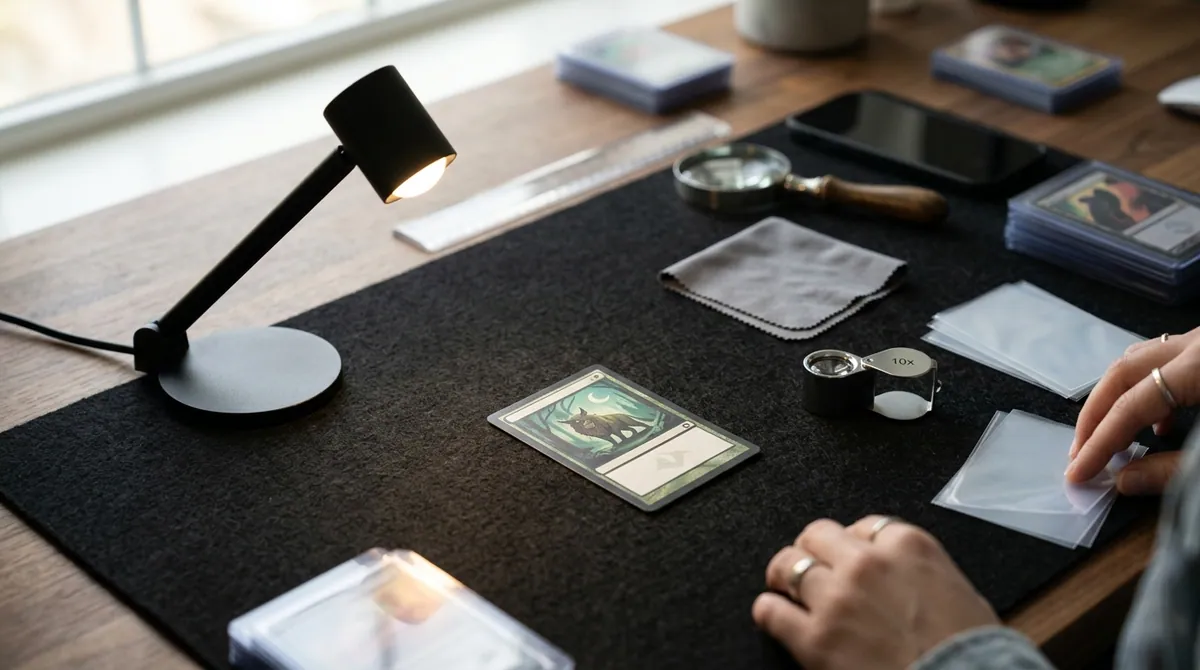
- One point light source: a desk lamp with a single bare LED bulb, or your phone’s flashlight. Avoid multi-LED panels and ring lights for this pass. They spread the light out and wash away the shadows you’re looking for.
- Diffuse daylight-balanced light (around 5000K): a window with indirect sun or a softbox-style lamp. Use this for judging stains and color.
- A 10x jeweler’s loupe, plus an optional 3x–5x magnifier for scanning.
- A dark, non-reflective surface like black felt or a mousepad. This cuts glare and makes specks easier to spot.
- A clean microfiber cloth, and clean, dry hands or nitrile gloves.
- Fresh penny sleeves. Old sleeves can trap grit that scratches the surface you just inspected.
Work in a dim room with the point light as the main source. Overhead lights add reflections that hide fine scratches.
Step-by-step: how to check a card’s surface
Follow this checklist with the card in hand. Do the front first, then repeat everything for the back.
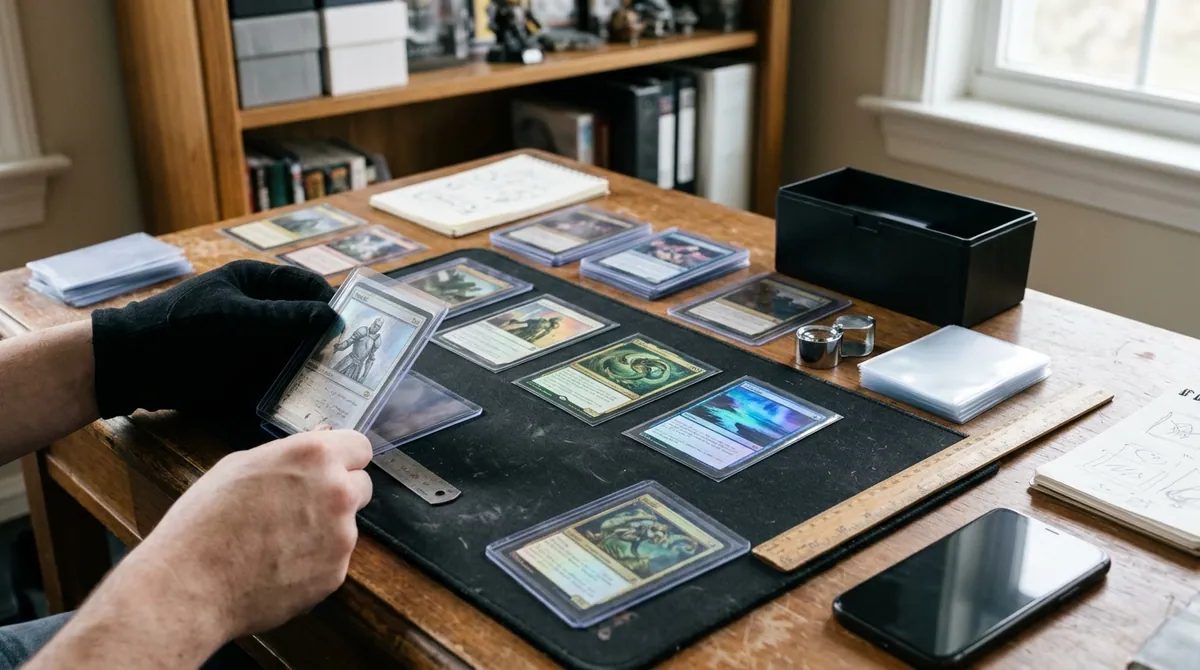
- Wash and dry your hands, or glove up. Skin oils leave prints that can look like surface haze.
- Remove loose dust. Use one light pass with the microfiber cloth. Don’t scrub. If something doesn’t come off with a gentle wipe, leave it and note it.
- Check overall eye appeal in diffuse light. Hold the card at arm’s length. Write down anything you notice right away: stains, color shifts, visible lines, obvious dents. Anything visible at this distance is a serious grade limiter.
- Switch to the point light at a low angle. Hold the lamp 10–30 degrees above the card’s surface, so the light skims across it rather than shining straight down.
- Rotate the card four times. Turn it 90 degrees at each step so light hits every scratch from the side. Hairline scratches and roller lines often appear in only one or two orientations.
- Track the reflection. Tilt the card slowly until you can see the lamp’s reflection in the gloss, then sweep that reflection across the entire surface. A flat surface gives a clean, unbroken reflection. Dents, dimples, and indentations bend or break it, like a ripple in a pond.
- Inspect holo, foil, and chrome areas separately. These areas show scratches far more readily than matte card stock. Tilt slowly through the full range of angles, because foil scratches sometimes appear only at one precise angle.
- Loupe anything suspicious. At 10x, check whether a mark is a scratch (an actual groove or break in the gloss), a print dot (ink sitting on or under the surface), or just dust you missed.
- Run the dent test. If you find a dent, flip the card and check the same spot on the back. A real dent or indentation usually shows on both sides. A print artifact won’t.
- Repeat steps 3–9 on the back. Pay extra attention to wax or gum stains on vintage cards and to pen or impression marks on any card.
- Record each flaw. Note the side, the location, the type, and whether you can see it at arm’s length. This list is what you’ll use to decide whether to grade.
Budget about three to five minutes per card once you’re practiced. Rushing the rotation step is the most common way flaws get missed.
Surface defects cheat sheet
| Defect | What it looks like | Best way to see it | Fixable before grading? |
|---|---|---|---|
| Hairline scratches | Thin bright or dark streaks | Raking light, rotate 360° | No |
| Print lines / roller marks | Straight lines, often running the full length or width | Raking light, one orientation | No (factory) |
| Print dots / snow | Tiny specks of ink or missing ink | 10x loupe, diffuse light | No (factory) |
| Dents and indentations | Distorted reflection, small pits | Reflection sweep plus back-side check | Don’t try |
| Creases | Line that breaks the gloss, often visible on both sides | Raking light, any angle | No |
| Fingerprints / smudges | Hazy oval patches | Raking light | Usually, with a dry microfiber |
| Wax / gum stains | Translucent or discolored patches, often on backs | Diffuse light | Risky; usually leave it |
| Loss of gloss | Dull, flat-looking areas | Reflection sweep | No |
Card types that need extra scrutiny
- Modern chrome and refractor sports cards show every scratch and are prone to surface issues straight from the pack. Inspect these slowly with the reflection sweep.
- Pokémon and other TCG holos pick up scratches on the foil pattern from shuffling, binder pages, and sleeve grit. Even cards kept in binders deserve a raking-light check.
- Textured full-art cards have intentional surface texture that can hide or imitate small dents. Compare any suspicious spot with the texture pattern around it, and check the back for a matching impression.
- Vintage cards often carry wax or gum stains on the back and print snow on the front. Older card stock also loses gloss easily, so judge vintage against vintage expectations, not modern ones.
What you can (and can’t) fix before submitting
Generally fine: removing loose dust and light fingerprints with a dry microfiber cloth using gentle, single-direction strokes.
Don’t do it:
- Liquids, cleaners, erasers, or breath fogging. These can leave residue, haze, or damage the gloss.
- Pressing or humidifying out dents and creases. Results are unreliable, and grading companies can treat evidence of pressing as alteration. That can mean an “altered” designation instead of a number.
- Polishing out scratches. This removes surface material. It’s alteration, and it usually leaves a visible dull spot.
If your inspection turns up a flaw you’re tempted to “fix,” the honest move is to grade the card as-is, or not at all.
When surface flaws mean you shouldn’t grade
Grading is a cost decision. Before submitting, compare:
Grading fee + shipping + insurance against the realistic graded value at the grade your surface supports, not the grade you’re hoping for.
Some common situations where it doesn’t make sense:
- The card is a modern base or common, and the surface flaw is visible at arm’s length. A mid-grade slab of a low-value modern card often sells for close to raw value, so the fee is mostly lost.
- The card has a dent you confirmed from both sides. On a modern card, that usually rules out the top grades that make grading pay off.
- The flaw would likely earn a qualifier. A qualified grade can undercut the reason you graded in the first place.
There are reasonable exceptions. Key vintage cards often benefit from authentication and a grade even at lower numbers. And grading a card for your personal collection is a valid choice if you understand the cost. Fees and turnaround tiers change regularly, so check current pricing on each grading company’s site before you run the math.
Where AI pre-grading fits
A manual surface inspection is slow, and it’s easy to lose consistency across a stack of 50 cards. That’s where Card Grading AI helps. Upload clear front and back photos, and you get a pre-grade estimate that covers condition factors, including surface. That makes it faster to sort cards into “inspect closely,” “maybe,” and “not worth grading” piles. See how it works for the photo guidance, and browse the features for collection tracking alongside your pre-grades.
Be realistic about what any photo-based tool can do. A straight-on photo in even light won’t capture every hairline scratch that raking light reveals, especially on holo foil. The best workflow combines both:
- Run your cards through Card Grading AI to triage the stack.
- Do the raking-light and loupe checklist above on the cards that make the cut.
- Make the final submission decision using your notes and current grading fees.
Card Grading AI results are estimates. They are not official grades, appraisals, or guarantees, and they don’t replace PSA, BGS, CGC, TAG, or any other grading company. Used together with a careful surface check, though, they can help you spend grading fees only on the cards that have a real shot at the grade you need.
FAQ
What is the best light for checking a card's surface?
Use two kinds. A single bright point source, like a one-bulb LED desk lamp or a phone flashlight held at a low 10 to 30 degree angle, makes scratches, print lines, and dents cast shadows or catch the light. Soft, even daylight-balanced light (around 5000K) is better for judging stains, discoloration, and overall eye appeal. Many flaws are visible under one and invisible under the other.
What magnification do I need to inspect card surfaces?
A 10x jeweler's loupe is the standard tool for examining a specific spot, such as a suspected print dot or the end of a scratch. Scan the whole card first with your naked eye or a 3x to 5x magnifier under raking light, then use the 10x loupe on anything suspicious. Scanning an entire card at 10x is slow and makes it easy to miss larger dents.
Can I clean fingerprints or smudges off a card before grading?
Light dust and fingerprints can usually be removed with a clean, dry microfiber cloth using gentle single-direction strokes. Avoid liquids, cleaning sprays, erasers, and breathing on the card. Never try to polish out scratches or press out dents. Grading companies can treat those changes as alteration, and they rarely work anyway.
Will PSA give a 10 to a card with a print line?
PSA's published standard for a Gem Mint 10 allows a slight printing imperfection as long as it doesn't impair the card's overall appeal. A faint line visible only under raking light may still be acceptable. A print line you can see at arm's length in normal light usually rules out a 10. PSA can also apply a print defect qualifier in some cases, so check PSA's current grading standards before you submit.
Can AI detect surface scratches from a photo?
AI can flag visible surface issues in a well-lit photo, but a single straight-on image can't capture everything raking light reveals, especially hairline scratches on holo foil. Treat any AI result, including Card Grading AI's, as a pre-grade estimate. Back it up with your own raking-light and loupe inspection. It is never an official grade.
Keep reading
Related guides
Ready to inspect your next card?
Scan your cards instantly with Card Grading AI
Capture a clear front-and-back photo, review an AI-assisted condition estimate, and keep standout cards organized in your collection.