Collector guide
MTG Collection App: How to Pick the Right One in 2026
A practical guide to choosing an MTG collection app: scanning, pricing, deck sync, foil condition checks, and where AI pre-grading fits for Magic collectors.
By Matteo G.
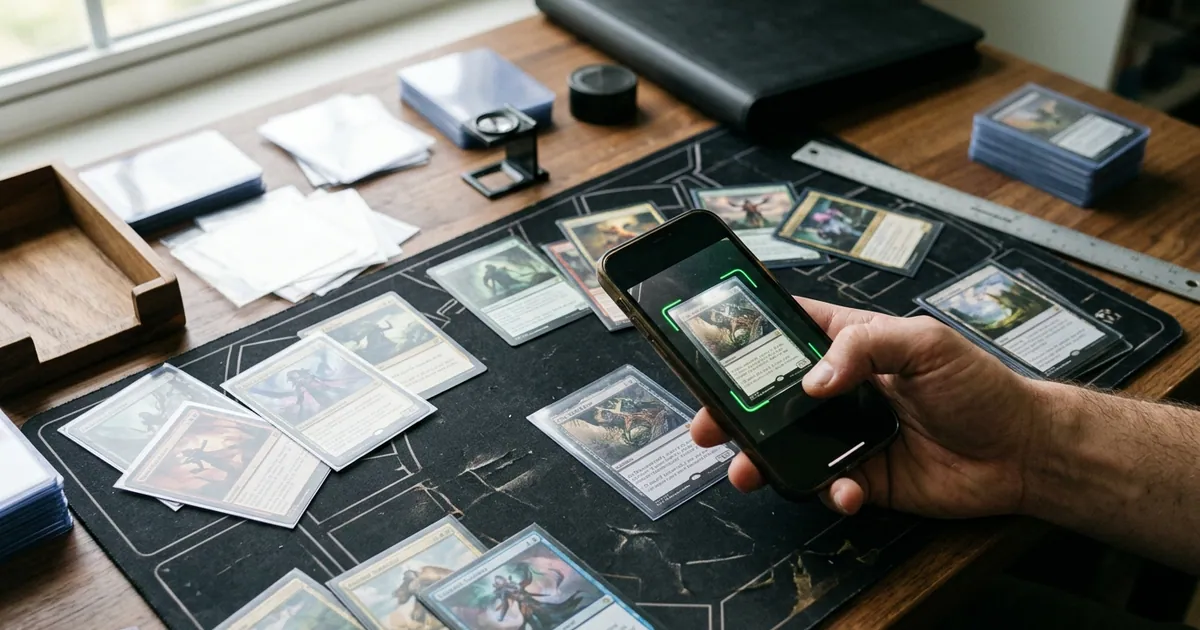
Magic: The Gathering is the hardest trading card game to track. Pokémon collectors chase one Charizard; Magic collectors deal with the same card printed nine times across four decades, in three finishes, in six languages, with borderless, extended-art, retro-frame, and serialized variants layered on top. That is why picking the right MTG collection app matters more here than in almost any other hobby: the wrong tool turns your binder into a spreadsheet you never update.
This guide walks through what actually matters when you evaluate an MTG collection app, how to set up a system you will still be using in six months, and where AI-assisted condition checks fit into a Magic-specific workflow.
What makes Magic harder to catalog than other TCGs
Before comparing tools, it helps to name the specific friction points:
- Printing sprawl. Lightning Bolt, Counterspell, and Sol Ring exist in dozens of legitimate printings. A card entry that says only “Sol Ring” is nearly worthless for valuation.
- Finish matters enormously. Nonfoil, traditional foil, etched foil, textured foil, surge foil, and serialized versions can differ by an order of magnitude in price.
- Set codes are your source of truth. Every modern Magic card carries a set code and collector number in the bottom-left corner. That string, not the card name, is what your app should be matching.
- Condition language is different. Magic uses NM / LP / MP / HP / Damaged for play condition, while grading companies use a 1–10 numeric scale. A serious collection app should tolerate both.
- Dual purpose. Many Magic cards are both assets and gameplay pieces. Your app needs to know the difference between “Commander deck staple” and “vault card I never sleeve up.”
If a tool cannot handle those five realities, it is a generic card app with a Magic filter bolted on.
The features that actually earn their keep
1. Fast, accurate card identification
Speed is the whole ballgame. If adding a card takes more than a few seconds, you will stop. Look for image-based recognition that reads the card and, critically, lets you confirm or correct the printing before it saves. Auto-detection that silently guesses the wrong set is worse than manual entry. Card Grading AI’s scan and catalog workflow is built around that confirm step so your entries stay clean.
2. Variant and finish handling
Test any candidate app with a hard case: a retro-frame foil from a Secret Lair or a Universes Beyond alternate art. If it collapses that into a single generic entry, your portfolio value will be wrong forever.
3. Condition capture, not just a dropdown
A text label like “NM” is a memory, not evidence. The better pattern is to store photographs of the front and back at the moment you log the card. Then, if you ever sell, trade, or submit, you have a dated visual record. This also protects you in mail-order disputes.
4. Pricing that reflects the right printing
Market value should follow the specific printing and finish you own. Treat all prices as directional estimates — Magic singles move with format bans, Commander hype, and reprint announcements, sometimes within hours.
5. Grading potential signals
For high-value cards, you want to know whether a submission is realistic before you pay fees. That is where AI pre-grading comes in: an estimated centering, edges, corners, and surface read that helps you triage. See how AI card grading works in practice for the mechanics.
Where AI pre-grading fits for Magic specifically
Magic has grading quirks that a generic checklist misses.
Centering is unusually visible. Black-bordered cards make off-center printing obvious, and old-border cards from the 1990s were notoriously inconsistent. Measuring borders by eye is unreliable; a measured centering analysis gives you a number to reason about.
Foil curl and surface. Modern foils bow. Etched and textured foils show handling marks differently than standard foils. Photograph these under soft, even light — a window on an overcast day beats a phone flash every time.
Old-card wear patterns. Beta and Unlimited cards frequently show edge whitening and light surface scuffing from decades of storage. Knowing whether a card is a likely 7 versus a likely 9 changes the entire economics of submitting it.
One rule that never changes: AI output is an estimate and a pre-grade, never an official grade. Card Grading AI does not appraise your cards, does not guarantee outcomes, and does not replace PSA, BGS, CGC, or TAG. It helps you decide what deserves a submission slot — the grading company decides the grade.
A workflow that survives the first month
Most collection projects die in week two. Here is a sequence that tends to stick:
- Start with your top 50 cards, not your whole box. Log the pieces that carry real value first. You get an accurate portfolio number in one sitting.
- Scan and confirm. Capture front and back, verify set code and finish, save.
- Tag by purpose. Use tags like
vault,commander,trade,submit-candidate. This single habit makes your collection searchable in ways prices never will. - Run pre-grades only on submission candidates. Anything you would consider slabbing gets a condition check. Playables do not.
- Handle bulk as a lot. Estimate your commons and uncommons as a single line item with a rough count. Precision there is not worth your evening.
- Do a monthly 15-minute pass. Add new pickups, remove cards you sold, glance at value changes.
Comparing the three common approaches
| Approach | Setup effort | Variant accuracy | Condition evidence | Best for |
|---|---|---|---|---|
| Spreadsheet | High (manual) | Depends entirely on you | None unless you build it | Small, stable, high-value collections |
| Deck-builder site with a collection tab | Low | Usually strong on printings | Rarely more than a dropdown | Players who mostly track playables |
| Dedicated scanning app with pre-grading | Low to medium | Strong when you confirm entries | Photos plus estimated condition | Collectors weighing sales and submissions |
Many collectors run two systems: a deck tool for gameplay inventory and a collection app for anything they consider an asset. That is a perfectly reasonable split.
Practical handling tips before you photograph anything
- Wash and dry your hands; skin oils show on black borders.
- Use a neutral, matte background — a gray mouse pad works well.
- Shoot straight on, not at an angle, so centering reads correctly.
- Remove cards from toploaders for photos; plastic glare hides and invents flaws.
- Never clean a card. Wiping surfaces creates micro-scratches that graders catch.
Getting started with Card Grading AI
If you want one place to scan Magic cards, keep a photo record, track estimated market value, and get a pre-grade read on the pieces you might submit, Card Grading AI covers that on web, iOS, and Android. Browse the full feature list to see what fits your collection, then check plans and pricing — including what you can do before committing to anything.
Start with your ten best cards tonight. A collection you can actually see is a collection you can actually make decisions about.
FAQ
What should an MTG collection app do at minimum?
It should let you add cards quickly (scan or search), identify the exact printing and set code, track quantity and finish (nonfoil, foil, etched), store your condition notes, and show current market pricing so you can see portfolio value over time. Anything beyond that — deck building, trade lists, AI condition checks — is a bonus that depends on how you collect.
Can an app tell me the official grade of my Magic card?
No. Card Grading AI and any similar tool produce estimates and pre-grades only. They are not official grades, appraisals, or guarantees, and they never replace a submission to PSA, BGS, CGC, or TAG. Use the estimate to decide what is worth submitting, then let the grading company issue the actual grade.
Do I need to log commons and bulk, or just valuable cards?
Most collectors get the best return on effort by logging everything above roughly a dollar plus anything with sentimental or deck value, then tracking bulk as an estimated lot. Scanning 4,000 commons individually rarely changes your portfolio number enough to justify the hours.
How does foil curl affect grading potential on modern Magic cards?
Foil curl is a surface and flatness issue that graders notice. Mild curl often still grades well, but pronounced curl can invite closer scrutiny of edges and surface. Photograph foils under diffuse light, note the curl in your app, and store them sleeved and flat between semi-rigids rather than loose in a box.
Is it worth grading Magic cards at all?
It depends on the card. Grading tends to make sense for high-value singles, sealed-era Alpha/Beta/Unlimited pieces, iconic reserved-list cards, and modern chase cards that are already near-mint. For mid-value playables, fees and shipping frequently exceed the grading premium, so a pre-grade check first saves money.
Keep reading
Related guides
Ready to inspect your next card?
Scan your cards instantly with Card Grading AI
Capture a clear front-and-back photo, review an AI-assisted condition estimate, and keep standout cards organized in your collection.