Collector guide
Card Collection Tracker: How to Pick the Right One
A practical buyer's guide to choosing a card collection tracker in 2026: features that matter, pricing traps, and how to set up your inventory the right way.
By Matteo G.
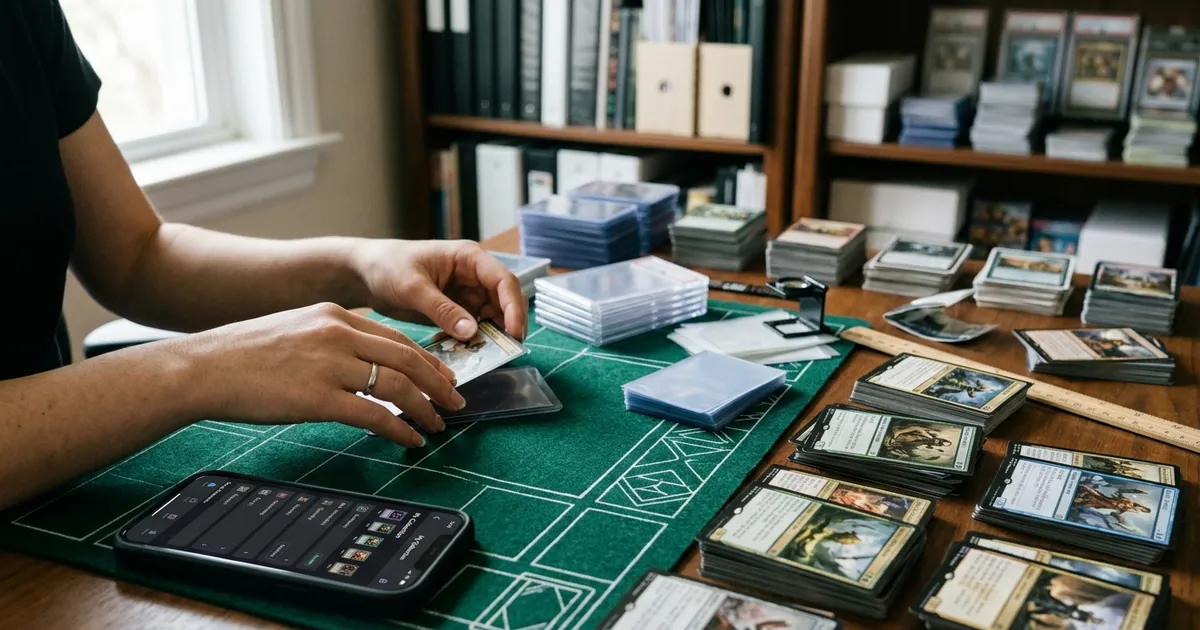
Most collections start the same way: a binder, a shoebox, and a rough idea of what’s inside. That works until the day you try to answer a simple question — “What did I pay for this, and what’s it worth now?” — and realize you have no idea. A card collection tracker exists to answer that question in seconds instead of an afternoon.
The problem is that “tracker” means very different things depending on the app. Some are glorified checklists. Some are price feeds with a login. A few actually understand condition, which is where most of the money in modern collecting lives. This guide walks through what to look for, how to set up your inventory so it stays useful, and where Card Grading AI fits.
What a card collection tracker is really for
A tracker isn’t a trophy case. It’s a decision tool. If yours is working, it should make four things easy:
- Knowing what you own. Set, card number, variant, language, quantity, and condition — not just “Charizard.”
- Knowing what you paid. Cost basis per card, including shipping and fees, so profit is real instead of imagined.
- Knowing what it’s roughly worth. Estimated market value by condition, updated without manual work.
- Knowing what to do next. Which cards are grading candidates, which are dead weight, which are overexposed in your portfolio.
That fourth point is where most trackers stop and where the real value starts. A list of cards tells you nothing. A list that flags fifteen cards worth submitting and forty that should be bulk-sold changes how you spend money.
The features that actually matter
Here’s how to evaluate options without getting distracted by feature-list marketing.
Identification speed
Manual entry is the reason most collections never get fully cataloged. If it takes 90 seconds per card, a 500-card collection is a 12-hour project you will never finish. Scan-based identification that pulls set, number, and variant automatically is the single biggest time saver. Test it on your hardest cards: foreign-language prints, promos, and reprints from sets with confusing numbering.
Variant handling
This is where cheap trackers fail. A base holo, a reverse holo, a 1st Edition, a shadowless print, and a modern reprint can share a name and a number while differing 100x in value. Your tracker needs to distinguish them, and its catalog needs to be deep enough to cover the sets you actually collect.
Condition and pre-grade data
Market value for anything mid-tier or better is a function of grade. A tracker that stores only “Near Mint” is guessing. Tools that analyze surface, corners, edges, and centering from photos give you a condition estimate you can act on. Card Grading AI produces pre-grade estimates from your scans — these are estimates for planning, never official grades and never a substitute for PSA, BGS, CGC, or TAG.
Cost basis and P&L
If you buy, trade, and flip, you need per-card cost tracking. Trackers that only show current value make everyone look like a genius. Add purchase price, date, and fees, and you get an honest picture.
Export and ownership
You should be able to download a CSV of everything you own. If an app locks your data in, that’s a red flag regardless of how nice the interface looks. Exports also matter at tax time and for insurance documentation.
Grading workflow support
Submissions are the biggest recurring cost in the hobby for serious collectors. A tracker that helps you build a submission list — filtering by estimated grade, current raw value, and expected graded value — pays for itself. See how it works for the scan-to-shortlist flow.
Spreadsheet vs. app: an honest comparison
| Factor | Spreadsheet | Dedicated tracker app |
|---|---|---|
| Setup cost | Free | Free tier or subscription |
| Entry speed | Slow, fully manual | Fast with scanning |
| Variant accuracy | Depends entirely on you | Catalog-driven |
| Value updates | Manual lookups | Automatic estimates |
| Condition analysis | None | Photo-based pre-grades |
| Works offline | Yes | Partially |
| Best for | Under ~150 cards, slow buyers | Growing collections, active traders |
There’s no shame in a spreadsheet. Plenty of sharp collectors run one for years. The switch usually happens when data entry becomes the reason you stop cataloging — and an uncataloged collection is an unmanaged one.
Setting up your tracker so it stays useful
A tracker only helps if the data inside is clean. A few habits make the difference.
Start with your top 50, not your bulk. The cards carrying most of your value deserve careful entry first. Bulk can be logged in batches later, or by quantity rather than individually.
Separate raw from graded. A raw copy and a PSA 9 copy of the same card are different holdings with different risk. Tag them accordingly so your totals mean something.
Record cost basis on the day you buy. Reconstructing purchase prices from six-month-old order history is miserable. Log it immediately, including shipping.
Photograph consistently. Even lighting, dark neutral background, card filling the frame, front and back. Consistent images make pre-grade estimates more reliable and double as proof of condition if a buyer disputes a sale.
Review quarterly, not daily. Checking values every morning is a good way to make emotional decisions. A quarterly review — what’s up, what’s down, what should be submitted or sold — is enough.
Reading value estimates without fooling yourself
Every tracker shows numbers. Here’s how to interpret them.
Estimates reflect recent market activity for a card in a stated condition. They are not appraisals, and they are not what a buyer will hand you today. Three things routinely break the estimate:
- Condition mismatch. Your “NM” and the market’s NM may not agree. This is exactly why condition analysis matters.
- Thin sales history. Rare or low-volume cards may have only a few comps, making the estimate wide.
- Fees and timing. Marketplace fees, shipping, and slow sell-through can take a meaningful bite out of the headline number.
Use the estimate as a starting range, then confirm against recent sold comps before making any real decision.
Turning your tracker into a grading plan
This is the highest-leverage use of a collection tracker. Once your inventory has condition data attached, you can filter for submission candidates instead of eyeballing a binder.
A simple approach: look for cards where the estimated graded value at your likely grade, minus submission and shipping cost, comfortably exceeds the current raw value. Cards with strong centering and clean surfaces usually clear that bar; cards with soft corners or print lines usually don’t. Card Grading AI’s centering and condition analysis is built to make this filtering fast, so you’re sending fifteen strong candidates instead of forty hopefuls.
Remember that grading companies make the final call. Pre-grade estimates reduce guesswork; they don’t eliminate variance.
Getting started
If you want a tracker that combines cataloging, cost basis, and AI-assisted condition analysis in one place, Card Grading AI runs on web, iOS, and Android with the same collection synced across all three. Scan a card, confirm the match against the catalog, add your purchase price, and your portfolio updates automatically.
Browse the full feature set, see how the scanning and pre-grade process works, and check pricing — there’s a free tier so you can catalog your top cards before deciding whether you need more.
Your collection is already an investment of money and attention. Tracking it properly is the cheapest upgrade you can make to it.
FAQ
What should a card collection tracker actually do?
At minimum it should identify cards accurately, store set/number/variant/condition details, track your cost basis, and let you export your data. Anything beyond that — scanning, pre-grade estimates, centering analysis, market history — is a bonus that saves time as your collection grows.
Is a spreadsheet good enough for tracking cards?
A spreadsheet works fine under roughly 100–200 cards, especially if you buy slowly and mostly hold. Past that, manual entry and price refreshes become the bottleneck. Most collectors switch to an app when data entry starts taking longer than the collecting itself.
Can a tracker tell me what grade my card will get?
No. Card Grading AI provides pre-grade estimates and condition analysis based on photos, which help you decide what to submit and what to keep raw. Only PSA, BGS, CGC, TAG and other grading companies issue official grades, and their assessment is always final.
How accurate are the values shown in a collection tracker?
Values are estimates drawn from recent market activity, not appraisals. Treat them as a range rather than a price tag. Grade, centering, eye appeal, and timing all move the real sale price, so always sanity-check against recent comparable sales before buying or selling.
Do I need to track raw cards separately from slabs?
Yes, tag them differently. Raw and graded copies of the same card behave like different assets: slabs carry a grade and a population context, while raw cards carry grading upside and risk. Keeping them separate makes your totals and your submission planning far more useful.
Keep reading
Related guides
Ready to inspect your next card?
Scan your cards instantly with Card Grading AI
Capture a clear front-and-back photo, review an AI-assisted condition estimate, and keep standout cards organized in your collection.