Collector guide
How to Catalog a Sports Card Collection (Step by Step)
Learn how to catalog a sports card collection the right way: naming conventions, key data fields, storage workflow, photos, and scaling from 100 to 10,000 cards.
By Matteo G.
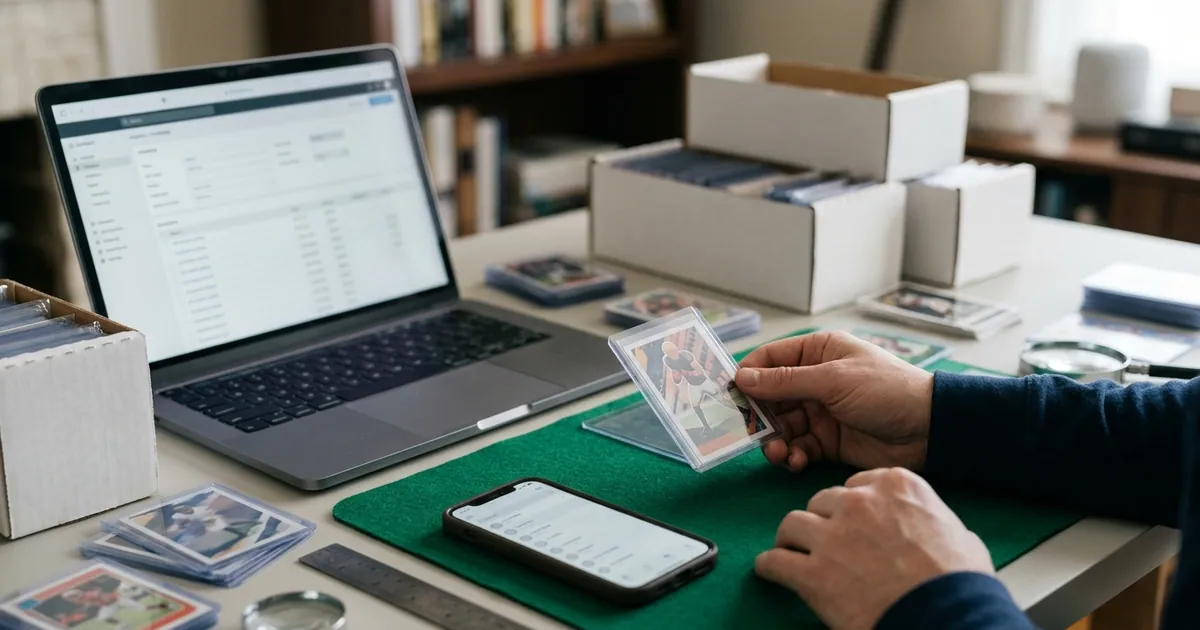
If you have ever stood in front of a closet full of shoeboxes wondering whether you already own that Luka rookie, you already know why cataloging matters. A cataloged collection is searchable, insurable, and sellable. An uncataloged one is a pile of cardboard with sentimental value and a lot of guesswork attached.
The good news: cataloging a sports card collection is a process problem, not a talent problem. Below is a practical workflow that works whether you have 300 cards in a binder or 15,000 across a dozen monster boxes.
Step 1: Decide What Level of Detail You Actually Need
Before you touch a single card, pick your granularity. Over-cataloging is the number one reason people quit halfway through.
Most US collectors land in one of three tiers:
| Tier | What you catalog individually | Best for |
|---|---|---|
| Light | Rookies, autos, numbered parallels, vintage, anything over ~$20 | Collectors with lots of base/commons |
| Standard | Everything above, plus all inserts and stars | Set builders and player collectors |
| Full | Every card, including base commons | Investors, dealers, insurance-driven collectors |
Everything you do not catalog individually should still get a lot entry: one line that says what the group is, how many cards it contains, and where it lives. “2021 Donruss base, approx. 450 cards, box 4” is infinitely better than nothing.
Be honest about your time. A Light catalog that you finish beats a Full catalog you abandon at the letter C.
Step 2: Sort Physically Before You Enter Anything
Data entry is slow when you are context-switching. Sorting is fast when you are just moving cardboard. Do them separately.
A sorting order that works for sports:
- Sport (football, basketball, baseball, hockey, soccer)
- Year (newest to oldest, or the reverse, just be consistent)
- Brand/set (Topps Chrome, Prizm, Select, Optic)
- Card number within the set
Pull out a separate “hits” pile as you go: autos, memorabilia cards, serial-numbered parallels, graded slabs, and anything that looks mint enough to consider submitting. That pile gets the most detailed treatment later.
While sorting, sleeve anything valuable immediately. Penny sleeve plus toploader or semi-rigid is the baseline. If a card is going to be photographed for a pre-grade later, keep it in a penny sleeve only so you can shoot it without glare from a thick toploader.
Step 3: Lock In a Naming Convention
This is the single highest-leverage decision in the whole project. Inconsistent naming is what makes a catalog unsearchable two years later.
Use this order for every individual card:
Year — Brand/Set — Subset/Parallel — Player — Card # — Serial #
Examples:
2018 Panini Prizm — Silver — Luka Doncic — #2802003 Topps Chrome — Refractor — LeBron James — #1111989 Upper Deck — Base — Ken Griffey Jr. — #12022 Topps Chrome — Orange Wave /25 — Julio Rodriguez — #RA-JR — 14/25
Rules to enforce on yourself:
- Always use the four-digit copyright year printed on the card back, not the season.
- Spell brand names the same way every time (“Panini Prizm,” never “Prizm” one day and “PP” the next).
- Write “Base” explicitly rather than leaving the parallel field blank. Blank fields create ambiguity.
- Record serial numbers as
14/25, not#14or/25.
Step 4: Capture the Right Data Fields
Here are the fields worth having. The first group is non-negotiable; the second pays off later.
Core fields
- Player and team
- Year, brand, set, subset/parallel
- Card number and serial number
- Quantity (for duplicates)
- Storage location (be specific: “Box 3, row 2, behind divider ‘NBA 2019’”)
- Condition notes in your own words
High-payoff extras
- Purchase date, purchase price, and source
- Front and back photos
- Graded status: raw, submitted, or slabbed (with company, grade, and cert number)
- Pre-grade estimate if you have one
- Intent tag: keep, sell, grade, trade
That last field is quietly powerful. Filtering your catalog by “grade” instantly gives you your next submission batch instead of re-digging through boxes.
Step 5: Photograph as You Go
Photos turn a catalog from a list into a record. They matter for insurance claims, for listing on eBay without re-shooting everything, and for any condition assessment.
Shoot both sides of every individually cataloged card. Keep it simple:
- Flat, even, diffuse light (a window on an overcast day is excellent)
- Dark, non-reflective background
- Camera parallel to the card, not angled
- Fill the frame so card edges are near the frame edges
- Penny sleeve only, no toploader glare
This is also the moment where condition data gets cheap to collect. If you are already photographing the card, you may as well get an objective read on centering, corners, edges, and surface. That is exactly what Card Grading AI is built for: you scan the front and back, and it returns an AI-assisted pre-grade estimate plus condition notes you can store with the entry. It is an estimate to help you prioritize, not an official grade from PSA, BGS, CGC, or TAG.
Step 6: Choose Your Catalog System
Three realistic options:
Spreadsheet. Free, flexible, and totally fine under a few hundred cards. Use one row per card, one column per field, and freeze the header row. The downside appears fast: no photos inline, no value lookups, manual everything, and a high typo rate.
Dedicated app. Scans the card, autofills set data, stores photos, and keeps condition notes attached to the entry. This is where most collectors should end up past the 300-card mark. The catalog in Card Grading AI keeps your scans, pre-grade estimates, and notes in one searchable place across web, iOS, and Android, so your phone and desktop stay in sync.
Hybrid. Use the app as the source of truth and export to a spreadsheet occasionally for custom analysis or insurance documentation. This is what a lot of serious collectors actually do.
Whatever you pick, back it up. Export monthly. A catalog that exists only on one phone is one cracked screen away from not existing.
Step 7: Flag Grading Candidates While You Catalog
Cataloging is the perfect time to triage. As you handle each card, ask three questions:
- Does this card have enough value in a high grade to justify fees and shipping?
- Does it look clean under angled light — sharp corners, no edge whitening, centered front and back?
- Am I actually willing to wait months for it to come back?
If all three are yes, tag it. If you want a second opinion on question two before spending submission money, run it through a pre-grade. Our sports card grading guide walks through how centering, corners, edges, and surface interact for modern chrome and vintage cardboard, which are very different animals.
One honest caveat: no AI tool, ours included, can promise what a grader will assign. Pre-grades reduce obvious mistakes — submitting a card with a soft corner you did not notice — but graders are human and slabs are subjective at the margins.
Step 8: Build a Maintenance Habit
The hard part is not the initial catalog. It is the 40 cards you buy next month.
Set one rule: nothing goes into storage until it is cataloged. Keep an “intake” box by your desk. New pickups live there until they are scanned, logged, and assigned a location. Ten minutes once a week keeps the system honest forever.
Schedule a quarterly audit too. Spot-check 20 random entries against their listed locations. If three of them are wrong, your storage labels need work.
Common Mistakes to Avoid
- Starting with your biggest box. Start with a small, high-value group. Early wins build momentum.
- Cataloging value instead of cards. Prices move constantly. Record your cost basis and let the app handle current estimates.
- Vague locations. “Upstairs” is not a location. “Closet shelf 2, box labeled BB-04” is.
- Skipping back photos. Back centering and print defects are where submissions quietly die.
- No duplicate handling. Use a quantity field instead of creating five near-identical rows.
Get Started Today
Pick one shoebox. Sort it, sleeve the good stuff, photograph both sides, and log 50 cards using the naming convention above. You will learn more about your own collection in one hour than in a year of guessing.
If you want the scanning, photo storage, condition notes, and pre-grade estimates in one place, start with Card Grading AI and check the pricing page to see which plan fits the size of your collection. Your future self — the one trying to find that Griffey rookie at 11 p.m. before a card show — will thank you.
FAQ
What information should I record for each sports card?
At minimum: player, year, brand/set, card number, parallel or insert name, serial number (if any), condition notes, storage location, and what you paid. Adding photos of the front and back makes the entry far more useful later when you are selling, insuring, or deciding what to submit for grading.
Is a spreadsheet good enough for cataloging a card collection?
A spreadsheet works well up to a few hundred cards if you are disciplined about column structure and naming. Past that, manual data entry and value lookups become the bottleneck. An app that scans cards, attaches photos, and stores condition notes in one place saves hours and reduces typos and duplicate entries.
How long does it take to catalog a large sports card collection?
Plan on roughly 20 to 60 seconds per card for manual entry with photos, and less if you scan. A 2,000-card collection is realistic in a few weekends if you batch the work: sort first, photograph second, enter data third, and store last. Doing one card start-to-finish at a time is much slower.
Should I catalog common base cards too?
Catalog them at the lot level rather than individually. Record something like '1990 Topps base, 800 cards, monster box 3' as a single entry. Reserve card-by-card entries for rookies, numbered parallels, autos, patches, vintage, and anything you might grade or sell separately.
Can Card Grading AI tell me if my cards are worth grading?
Card Grading AI gives you an AI-assisted pre-grade estimate based on photos of centering, corners, edges, and surface. That estimate helps you prioritize submission candidates, but it is not an official grade, appraisal, or guarantee. Only PSA, BGS, CGC, TAG, and other grading companies issue official grades.
Keep reading
Related guides
Ready to inspect your next card?
Scan your cards instantly with Card Grading AI
Capture a clear front-and-back photo, review an AI-assisted condition estimate, and keep standout cards organized in your collection.