Collector guide
How to Grade Pokémon Cards with AI
Learn how AI Pokémon card grading works, what photos to use, how to read centering and surface signals, and when a pre-grade should lead to a professional submission.
By Matteo G.
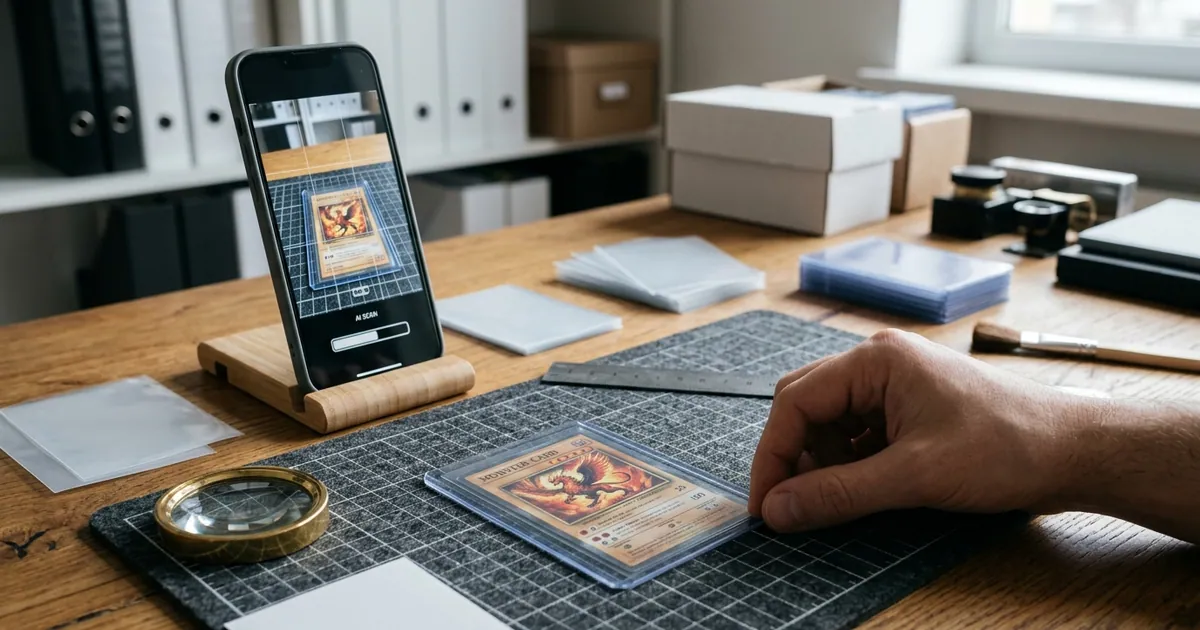
AI Pokémon card grading is fastest when you treat it as a screening tool, not a certificate. You photograph the card, review an estimated condition breakdown, and decide whether the card deserves a closer look, a portfolio note, or a professional submission.
If you are new to the category, start with the broader AI card grading guide and the dedicated Pokémon card grading page.
Why collectors use AI before sending cards out
Professional grading is slow and expensive once you multiply shipping, fees, and opportunity cost across a binder. Many collectors only want a consistent first pass:
- Which raw hits look close to gem candidates?
- Which cards have obvious whitening or soft corners?
- Is centering clean enough to bother submitting?
- Should this card stay raw in a portfolio instead?
An AI estimate helps answer those questions from photos. It does not authenticate a card, detect every alteration, or promise the same label a grading company will assign after a physical inspection.
Step 1: Prepare the card and shooting setup
Good inputs matter more than fancy prompts.
- Remove the card from soft sleeves and toploaders if glare or plastic distortion hides the edges.
- Place the card on a flat, contrasting, non-reflective background.
- Use bright, even light. Window light or a soft lamp usually beats harsh overhead glare.
- Keep the camera parallel to the card so borders are not skewed by perspective.
- Capture the full front and the full back. Corners must stay inside the frame.
If centering is your main concern, also read the card centering guide. Camera tilt can make a balanced card look off-center.
Step 2: Capture front and back photos that reveal defects
Shoot both sides every time. Back whitening, print lines, and edge wear are easy to miss if you only check the artwork.
Useful checklist:
- No motion blur
- No heavy shadows across one border
- No cropped tips of corners
- No filters, beauty modes, or aggressive compression
- Enough resolution for surface scratches to remain visible
If the estimate looks surprisingly high or low, reshoot before trusting the first pass. Many “bad grades” are really bad photos.
Step 3: Read the AI breakdown, not only the headline score
A useful pre-grade explains the result. In Card Grading AI, collectors typically review signals across:
Centering
Left/right and top/bottom balance. Strong artwork does not save a card if the borders are clearly uneven under a straight photo.
Corners
Whitening, rounding, fraying, dings, and softness. Even one weak corner can pull a candidate out of gem territory.
Edges
Chipping, whitening, roughness, and print wear around the perimeter. Edge issues are common on played Pokémon cards.
Surface
Scratches, print lines, cloudiness, stains, and other visible marks. Gloss and hologram areas need careful lighting or the photo can invent glare that looks like damage.
Use the breakdown to decide the next action: keep raw, sleeve and monitor, or shortlist for professional grading.
Step 4: Compare the estimate with your own eye
Hold the card under good light after the scan. Confirm:
- Are the soft corners real or just out of focus in the photo?
- Is that “scratch” actually a reflection?
- Does the reverse show whitening the AI flagged?
- Does the card have texture, cleaning, or authenticity questions photos cannot settle?
AI is strongest on visible, photo-friendly defects. It is weakest on authenticity, hidden damage, and subjective professional thresholds.
Step 5: Decide whether to submit, sell raw, or hold
A practical rule:
- Strong estimate + clean physical inspection → consider professional grading if market premium justifies fees.
- Mixed estimate → keep raw, improve storage, or wait for a better copy.
- Weak estimate with clear wear → track the card in your collection without paying submission costs.
This is where AI saves money: it helps you avoid submitting cards that were never realistic gem candidates.
Common mistakes when grading Pokémon cards with AI
- Using only a front photo
- Scanning through cloudy or reflective plastic
- Cropping corners
- Trusting one blurry image
- Treating an AI number as an official PSA, BGS, or CGC grade
- Ignoring market economics after the estimate looks good
How Card Grading AI fits the workflow
Card Grading AI is built for collectors who want a fast pre-grade loop: capture clear photos, review condition signals, measure centering, and keep useful cards organized in collection tools. Explore product details on Features, or open the app and run a scan on a card you already know well so you can calibrate the output against your own eye.
Bottom line
To grade Pokémon cards with AI effectively:
- Shoot clean front-and-back photos.
- Read the full condition breakdown.
- Re-check the physical card.
- Use the estimate to decide submission, sale, or storage.
- Reserve official grading companies for cards that clear both the photo screen and your manual inspection.
AI will not replace professional grading. Used well, it makes the path to professional grading more selective and much less expensive.
FAQ
Can AI grade Pokémon cards accurately?
AI can estimate visible condition from clear front-and-back photos and highlight centering, corners, edges, and surface issues. It cannot certify a grade or replace PSA, BGS, CGC, or another professional grading company.
What photos do I need for AI Pokémon card grading?
Use sharp, high-resolution front and back photos with the full card visible, even lighting, a plain contrasting background, and a camera angle parallel to the card. Avoid sleeves, glare, filters, and cropped corners.
Should I submit every card that gets a strong AI estimate?
No. Use AI pre-grades to shortlist candidates, then inspect the physical card for texture, authenticity, and defects that photos can miss before paying for professional grading.
Keep reading
Related guides
Ready to inspect your next card?
Scan your cards instantly with Card Grading AI
Capture a clear front-and-back photo, review an AI-assisted condition estimate, and keep standout cards organized in your collection.